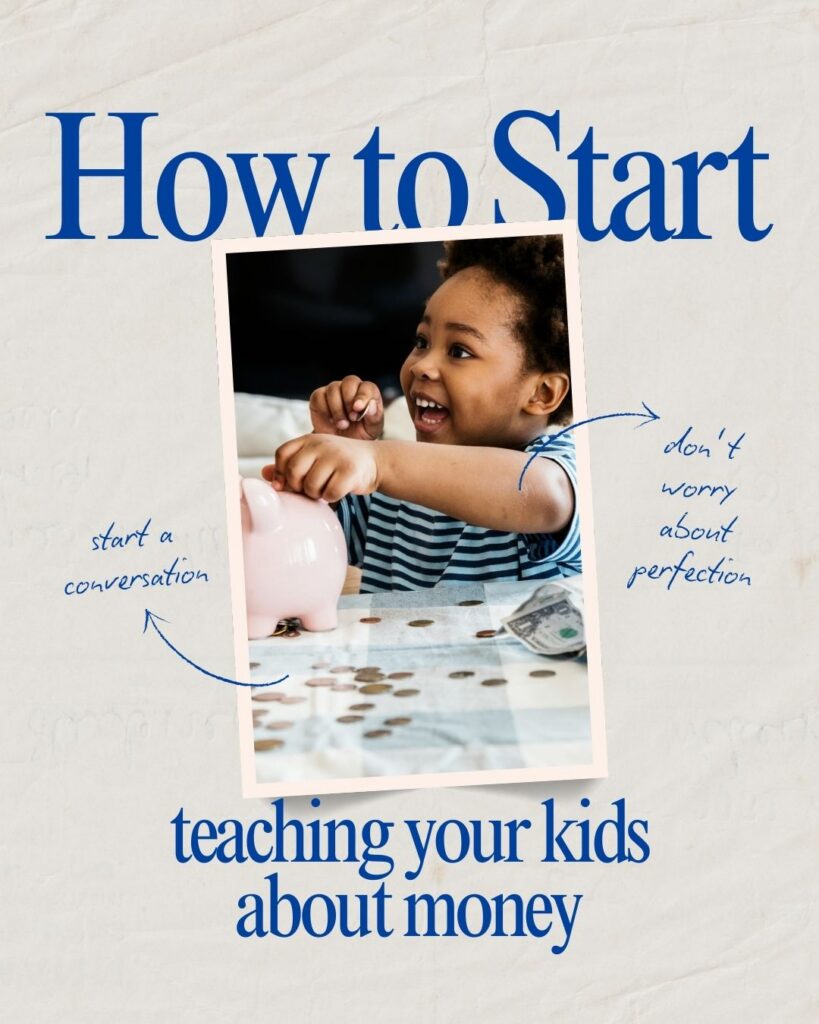
The app store is full of solutions for managing kids’ money. Some are genuinely useful. Some are overkill. A few are clever enough that even skeptical parents end up relying on them.
Before comparing specific apps, the most honest question to answer is: do you actually need one?
If your kids are under 8, probably not. Physical cash and a simple sticker chart will do more for a young child’s financial understanding than any screen-based system. But as kids get older, earn more, start saving toward real goals, or want a debit card, a dedicated app can genuinely improve the system.
This guide covers the major categories of allowance apps, reviews the top options in each, and helps you figure out which — if any — is worth adding to your family’s toolkit.
Do You Actually Need an Allowance App?
The case for an app:
- You have multiple kids with different chore lists and earning rates — manual tracking gets complicated
- Your kids are 10+ and ready for a debit card or digital money management
- You want chores tracked automatically with notifications rather than relying on memory
- Your family already lives a digital lifestyle and cash feels clunky
The case against:
- Kids under 8 learn better with physical money — a number on a screen doesn’t carry the same weight as counting cash
- App subscriptions add up — $5–10/month per account is real money over years
- The system only works if everyone actually uses it consistently
- Some apps are more about features than financial education
If you’re unsure, start with cash and a simple chore chart. You can always add an app later once the system is running. Don’t let the perfect setup delay you from starting.
For non-app chore tracking: How to Create a Chore Chart for Kids.
Category 1: Full-Featured Debit Card + Chore Tracking Apps
These apps combine chore management, allowance tracking, and a real debit card for kids. They’re the most comprehensive option and the most popular with families who have kids 8 and older.
Greenlight
Greenlight is the most widely used kids’ money app in the US, and for good reason. It combines a real Mastercard debit card with strong parental controls, savings goal tracking, a chore and allowance interface, and a basic investing account for teens.
Best for: Families with kids 8–18 who are ready for a real debit card and want robust parental controls over spending.
Key features: Per-store spending controls, savings goals with interest rates set by parents, chore/allowance tracking, investing for teens, real-time notifications.
Cost: Plans start at approximately $5.99/month for up to 5 kids. Plans vary by tier and feature set.
Debit card: Yes — a physical Mastercard debit card.
Considerations: Monthly subscription required. Best value when used consistently. Note: verify current pricing before subscribing, as rates may change.
BusyKid
BusyKid takes a more structured approach, built specifically around chores and earning. Kids are assigned chores, mark them complete, and parents approve payment. The earned money can be split automatically into spend, save, and give buckets.
Best for: Families who want a chore-first system with automatic allowance distribution and a simple debit card option.
Key features: Chore assignment and approval workflow, automatic spend/save/give split, optional Visa debit card, family stock investing.
Cost: Approximately $4/month for families; debit card costs extra. Verify current pricing.
Debit card: Optional add-on (Visa prepaid).
Considerations: More focused on chore workflow than Greenlight. Parents who want a streamlined earn-approve-pay cycle will find it intuitive.
GoHenry
GoHenry was popular with UK families and was available in the US, but it has been rebranded as Acorns Early. It focuses on financial education alongside the debit card experience, with in-app money lessons and quizzes.
Best for: Families who want to combine financial education content with a debit card experience.
Key features: Customizable debit card, spending controls, money missions (educational content), allowance automation.
Cost: Approximately $4.99/month per child. Verify current pricing.
Debit card: Yes.
Category 2: Visual Savings and Tracking Apps (Younger Kids)
These apps focus on helping younger kids (ages 4–10) understand saving and track progress toward goals. They’re typically tracking-only (no debit card) and designed to make money visible and motivating.
RoosterMoney
RoosterMoney is designed for younger kids and focuses on visualizing savings toward goals. Kids can “see” their jar filling up, track chores, and understand the trade-off between spending and saving.
Best for: Families with kids ages 4–10 who want a visual savings tracker without needing a debit card yet.
Key features: Visual savings jars, chore tracking, goal setting, spend/save/give split, parent-controlled transfers.
Cost: Free tier available; premium tier at approximately $2/month for full features.
Debit card: No — tracking only unless connected to a partner card.
iAllowance
A simple, low-cost app for tracking allowance and chores. Good for families who want digital organization without the monthly subscription cost of more feature-heavy apps.
Best for: Budget-conscious families who want a digital chore chart and allowance ledger without a subscription fee.
Key features: Chore tracking, multiple allowance buckets, simple interface.
Cost: One-time app purchase (check current App Store pricing).
Debit card: No.
Comparison Table at a Glance
| App | Best Ages | Debit Card? | Key Strength |
| Greenlight | 8–18 | Yes | Most complete: robust controls, investing, spending limits by store |
| BusyKid | 6–18 | Optional | Best chore workflow: earn, approve, pay cycle is intuitive |
| GoHenry | 6–18 | Yes | Financial education content built into the experience |
| RoosterMoney | 4–10 | No | Best visual savings tool for young kids learning to save toward goals |
| iAllowance | 5–14 | No | Low-cost, simple chore and allowance tracker — no subscription |
Note: App prices and features change frequently. Verify current pricing and availability on each app’s website before subscribing.
Debit Card vs. Tracking-Only: Which Do You Need?
This is the most important distinction to make before choosing an app:
Tracking-only apps record chores and allowance on your phone but money is still handled in cash or transferred manually. Best for younger kids learning the concept of money before they’re ready for a card.
Debit card apps include a physical card that kids can use to actually spend. Best for kids 10+ who are ready to manage digital spending and begin building responsible card habits.
A tracking-only app paired with physical cash is the most educationally powerful combination for kids under 10. The digital record helps parents stay organized; the physical cash makes money real to kids.
The Bottom Line: The Best Allowance Apps for Kids
If your kids are under 8: skip the app. Use cash, a sticker chart, and a savings jar. It’s simpler, more tangible, and more effective at this age.
If your kids are 8–12: a tracking app or entry-level debit card app (BusyKid, RoosterMoney, Greenlight’s basic tier) is worth the small cost if you’ll actually use it consistently.
If your kids are 12+: Greenlight or BusyKid with a debit card is genuinely useful for building real financial habits with real stakes before they leave home.
Whatever you choose, the app is a tool, not the system. The lessons come from the conversations you have around the money, not the screen they’re managed on.
For the chore system that feeds into these apps: Chore Systems That Work.
For the complete framework: The Complete Guide to Allowance and Chores for Kids.